
Go To https://marvelheroes.kuzba.com/Dashbaord
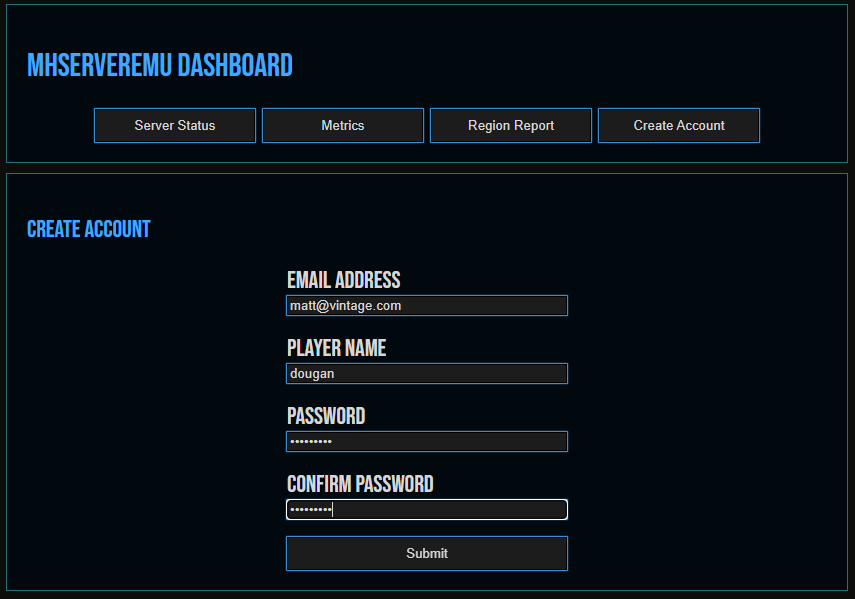
Click Create Account button.
Put in a fake email address. I use vintage.com.
Put in your Player Name for in game.
Put in a Password – not one that is used elsewhere in life.
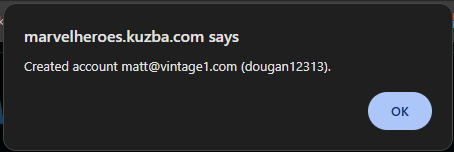
Click Submit.
Download the Client here: http://dougan78.com/wp-content/uploads/Downloads/Marvel_Heroes.7z
Go to where it was extracted and go to folder:Marvel Heroes Omega 2.16a Steam\UnrealEngine3\Binaries\Win64
Make a shortcut to: MarvelHeroesOmega.exe
add -nosteam -robocopy -siteconfigurl=marvelheroes.kuzba.com/SiteConfig.xml
So it should look like: MarvelHeroesOmega.exe -nosteam -robocopy -siteconfigurl=marvelheroes.kuzba.com/SiteConfig.xml
Launch the shortcut and enjoy. If run into issues with errors running/launching make sure you install the dependencies which are in the Marvel Heroes Omega 2.16a Steam\InstallDependencies\ folder where you extracted the game
Leave a Reply
You must be logged in to post a comment.